Laptop CPU + GPU Cooling Fan for HP Studio ZBook 15 G5 ZBook 15 G6 Series About
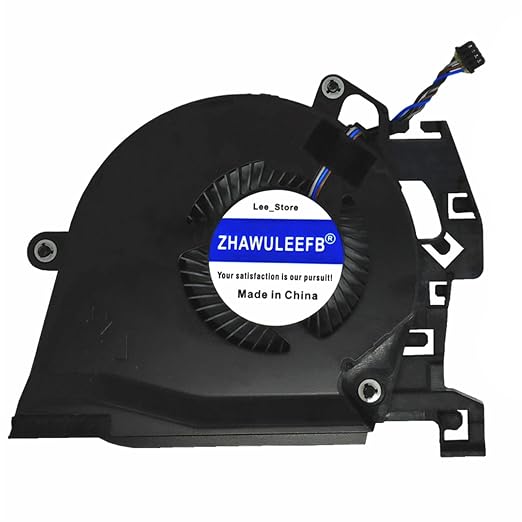
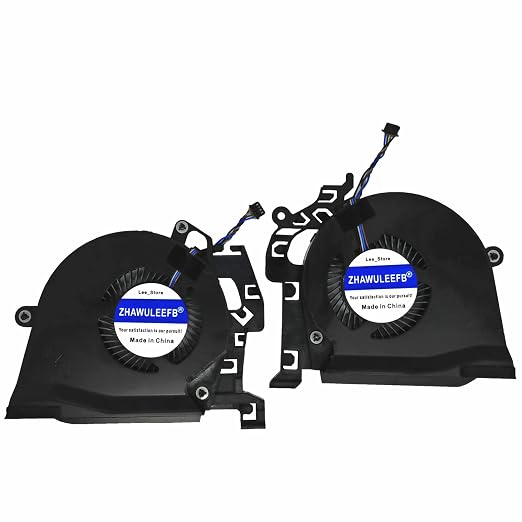
ZHAWULEEFB Replacement New Laptop CPU + GPU Cooling Fan for HP Studio ZBook 15 G5 ZBook 15 G6 Series L30894-001 L30895-001 L28713-001 L28712-001 NS85C01-17J04 NS85C01-17J03 DC5V 0.5A Fan
Optimal Cooling, Maximum LongevityEngineered to deliver high efficiency airflow and effective heat dissipation, this fan keeps both the CPU and GPU modules at optimal thermal conditions. Automatic thermal control and up to 4800 RPM operation ensure minimal heat buildup, preserving your laptop's performance over time while also limiting noise to below 30dBA. The robust design and quality manufacturing guarantee more than 10,000 hours of dependable use.
Seamless Compatibility for ZBook 15 G5/G6This OEM replacement fan is specifically tailored for HP Studio ZBook 15 G5 and ZBook 15 G6 laptops. It features a standard 4-pin connector and an 8 cm cable, ensuring easy integration without electrical modification. Please confirm connector compatibility and mounting alignment prior to purchase for straightforward installation and hassle-free performance.
Precision Engineering and Easy ReplacementMade from ABS plastic and metal alloy using injection molding and precision assembly, this cooling fan is meticulously crafted for durability and operational balance. Its screw-mount design and direct fit specification mean swift replacement for professionals, minimizing downtime. A matte black anti-corrosion finish adds an extra layer of protection and aesthetic value.
FAQ's of Laptop CPU + GPU Cooling Fan for HP Studio ZBook 15 G5 ZBook 15 G6 Series:
Q: How do I install the CPU + GPU cooling fan in my HP ZBook 15 G5 or G6 laptop?
A: To install, ensure the laptop is powered off and disconnected from any power source. Open the laptop chassis as per manufacturer guidelines, align the new fan with the screw mounts, and connect the 4-pin connector to the motherboard. Professional installation and correct application of thermal paste are recommended for optimal thermal performance.
Q: What are the benefits of using this replacement fan for my ZBook laptop?
A: This high-efficiency cooling fan maintains low operating temperatures for your CPU and GPU, enhancing system reliability and lifespan. With its automatic thermal control, quiet operation (<30dBA), and a lifespan exceeding 10,000 hours, it offers sustained, efficient cooling suitable for intensive workloads and professional use.
Q: When should I consider replacing my original laptop cooling fan?
A: You should replace the fan if you notice persistent overheating, unusual noises, or reduced airflow, which may signal a failing or clogged fan. Regular maintenance or replacement ensures consistent performance, preventing damage to internal components caused by insufficient cooling.
Q: What models are compatible with this cooling fan?
A: This cooling fan is designed for HP Studio ZBook 15 G5 and ZBook 15 G6 Series laptops. It supports systems using Intel Xeon and Core i7/i9 processors within these models. Please verify the 4-pin connector and physical mounting type before purchase to ensure compatibility.
Q: Where is this fan intended for use within the laptop?
A: This unit is an internal component designed specifically for cooling both the CPU and GPU modules inside HP ZBook 15 G5 and G6 laptops. It provides targeted, efficient heat dissipation from the core processing areas for optimal device function.
Q: What process and materials are used in the manufacturing of this fan?
A: The fan is manufactured using precision injection molding of ABS plastic and metal alloy, ensuring strength, durability, and a balanced, quiet operation. The blades are precision-balanced, and the entire assembly receives an anti-corrosion treatment for extended operational reliability.
Q: How does the automatic thermal control feature work?
A: Automatic thermal control dynamically adjusts the fan speed based on internal temperature readings. This ensures that the cooling response matches the laptop's heat output, providing adequate cooling when required and reducing fan noise and power consumption during lighter workloads.



 Send Inquiry

 Send Inquiry